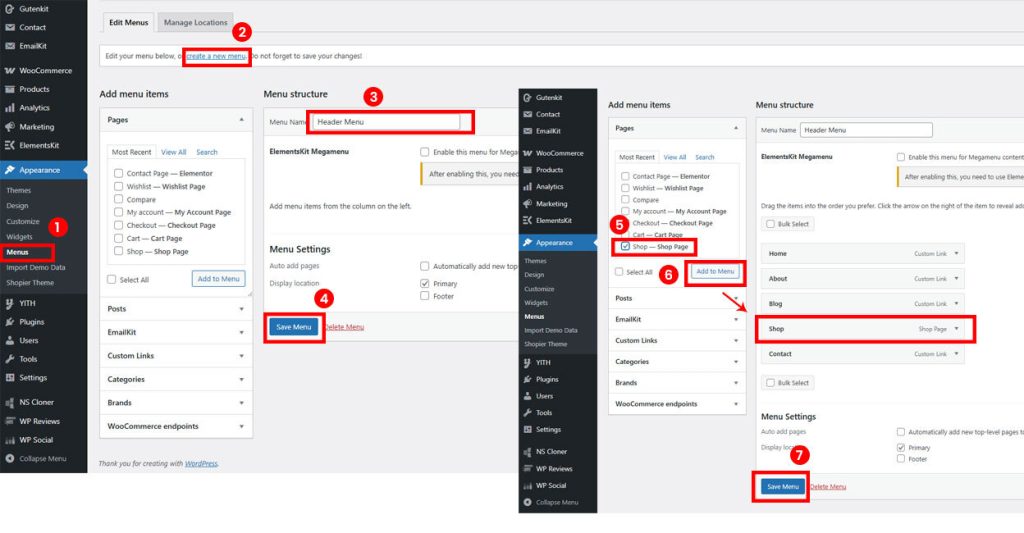
A menu is the main navigation structure of your website. Follow these steps to create and configure it.
1. Create a New Menu #
- Go to Dashboard → Appearance → Menus.
- Click Create a new menu.
- Enter a menu name and click Create Menu.
2. Add and Organize Menu Items #
- Select items from Pages, Posts, Custom Links, or Categories and click Add to Menu.
- Drag and drop items to arrange the order or create sub-menus (nested items).
3. Assign and Save Menu #
- Under Menu Settings → Display Location, choose where the menu should appear (e.g., Primary Menu).
- Click Save Menu to store your changes.