

Table of Contents
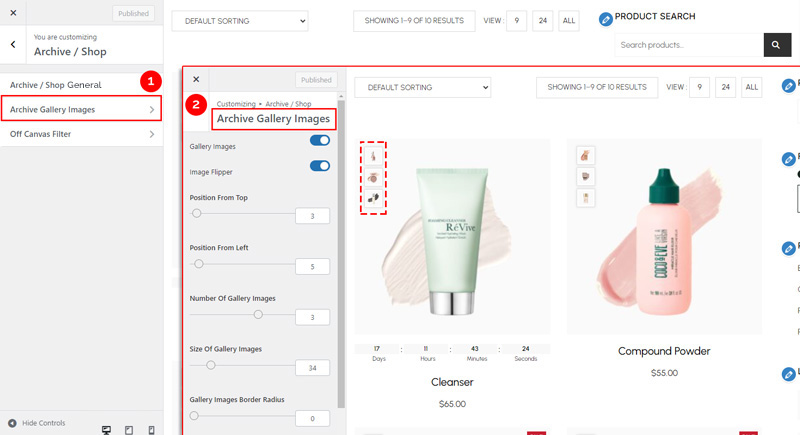
To configure how product gallery images appear on your shop/archive pages, follow these steps:
1. Navigate to Archive Gallery Image Settings #
- From your WordPress dashboard, go to:
Dashboard → Appearance → Customize → Shopier WooCommerce → Archive / Shop → Archive Gallery Image
2. About This Feature #
- This feature controls the display of product gallery images on your shop/archive pages.
- It is enabled by default.
3. How to Display Gallery Images #
- Ensure that products have gallery images assigned.
- Only products with gallery images will display them on archive/shop pages.
4. Save Your Changes #
- Preview changes in real time.
- Click “Publish” to apply them to your website.


