

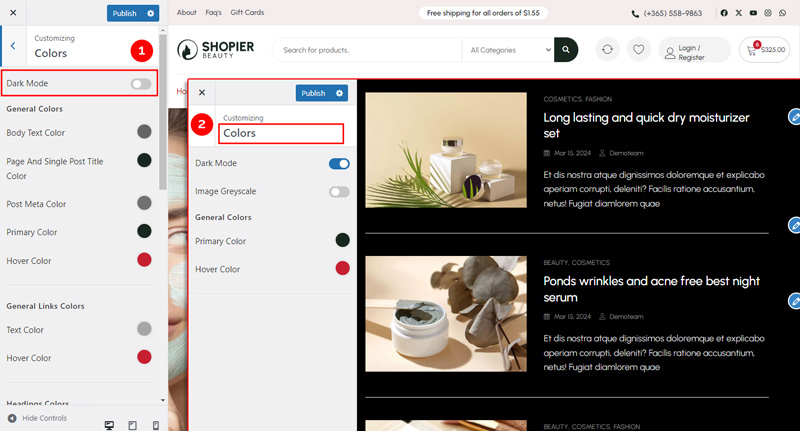
The Dark Mode option lets you enable a dark theme for your website, providing a modern look and reducing eye strain for visitors.
1. Access Site Skins Settings #
From your WordPress dashboard, navigate to:
Dashboard → Appearance → Customize → Colors → Dark Mode
2. Explore Available Options #
- Image Grayscale Options – Apply a grayscale effect to images in dark mode.
- Color Scheme Options – Choose between Dark, Black & White, or other available color schemes for your site.
3. Save Your Changes #
- Preview your changes in real time.
- Click “Publish” to save them to your website.


