

The Item Per Page option controls how many products are displayed on your archive/shop pages.
1. Open Item Per Page Settings #
From your WordPress dashboard, navigate to:
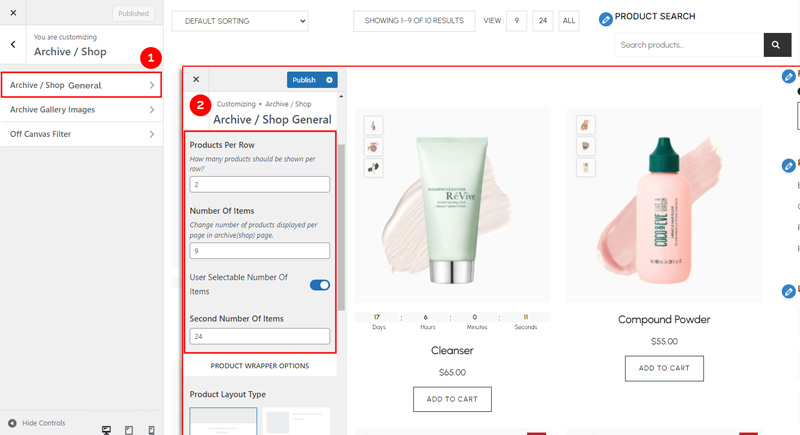
Dashboard → Appearance → Customize → Shopier WooCommerce → Archive / Shop → Archive / Shop General → General
2. Explore Available Options #
- Products Per Row – Specify how many products are shown per row on the page.
- Number Of Items – Set the number of products displayed per page.
- Second Number Of Items – Optionally, set a different number of products for the second page or subsequent pages.
3. Save Your Changes #
- Preview changes in real time.
- Click “Publish” to apply them to your website.


