

Table of Contents
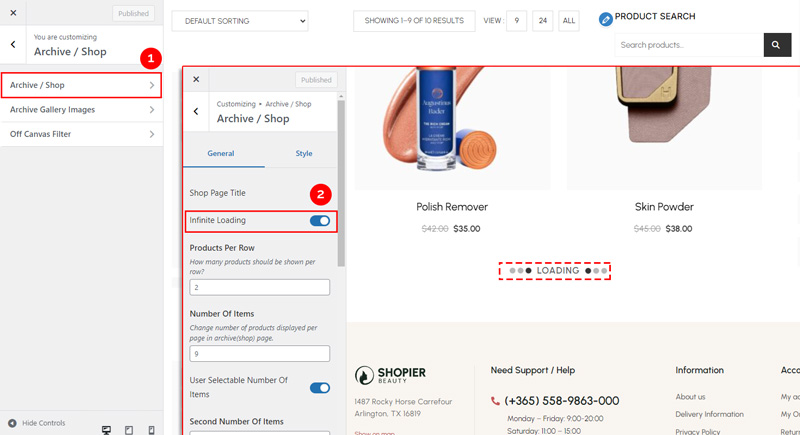
Infinite Scrolling automatically loads new products as users scroll down the archive/shop page, replacing the default pagination.
1. Navigate to Infinite Scrolling Settings #
- From your WordPress dashboard, go to:
Dashboard → Appearance → Customize → Shopier WooCommerce → Archive / Shop → Archive Gallery Images→ Infinite Loading
2. About This Feature #
- Available on Archive/Shop Pages only.
- Automatically loads additional products when users reach the bottom of the page.
- Helps improve user experience by reducing page reloads.
3. Save Your Changes #
- Preview changes in real time.
- Click “Publish” to apply them to your website.


