

Table of Contents
Learn how to easily download and install the Shopier theme after purchasing it from ThemeForest.
1. Download Theme from ThemeForest #
- Log in to your ThemeForest (Envato) account.
- Navigate to the Downloads section.
- Locate your purchased Shopier theme.
- Click Download and choose:
- Installable WordPress File Only (recommended), OR
- All Files & Documentation (you will need to extract it first).
Note: If you download the full package, extract the ZIP file and locate the installable theme ZIP inside.
2. Upload Theme to WordPress #
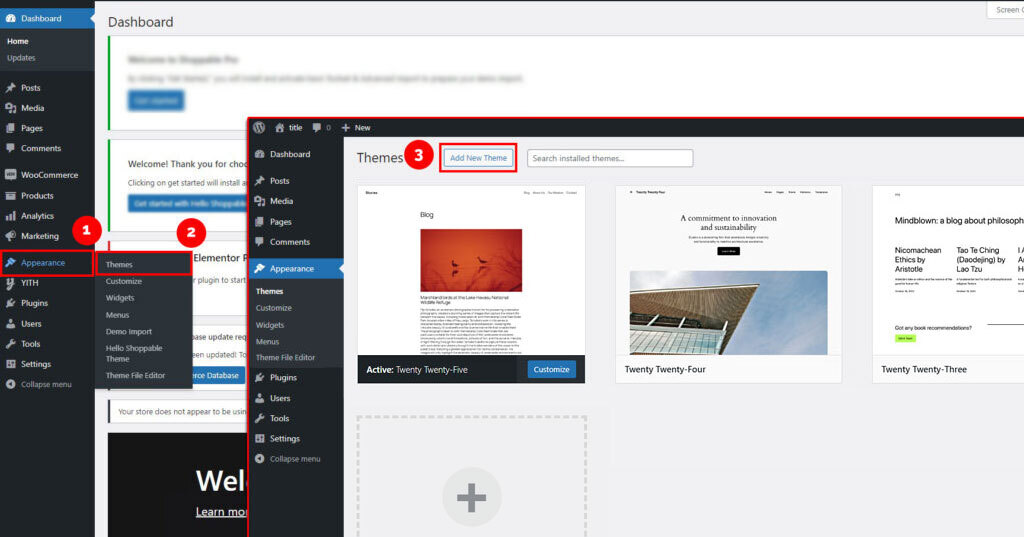
From your WordPress dashboard, navigate to:
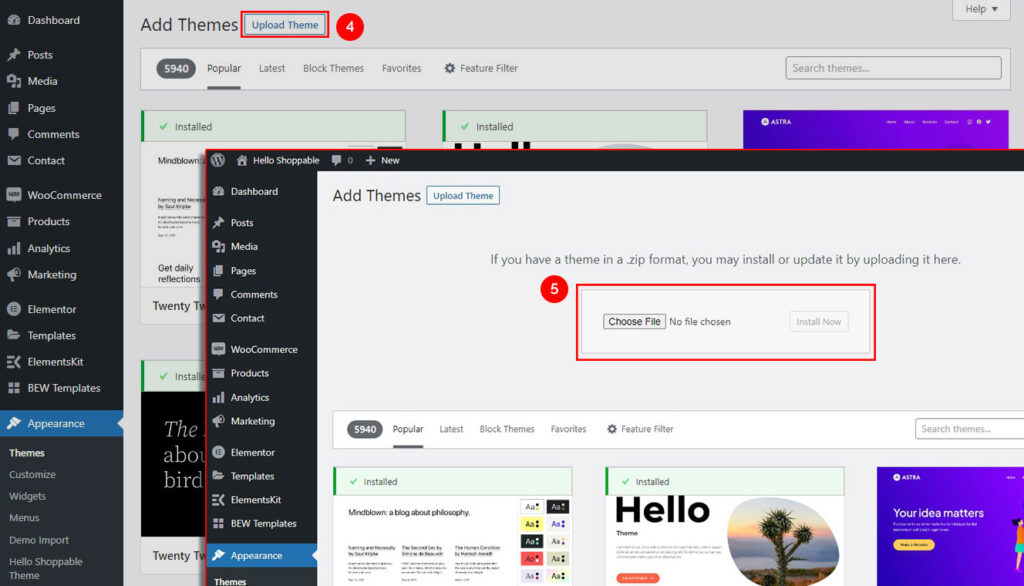
Dashboard → Appearance → Themes → Add New → Upload Theme
- Click Upload Theme
- Choose the Shopier.zip file
- Click Install Now
3. Install and Activate Theme #
- Wait for the installation to complete
- Click Activate to apply the theme to your website
4. Install Required Plugins #
- After activation, you may see a notice to install required plugins
- Click Begin Activating Plugins
- Install and activate all recommended plugins
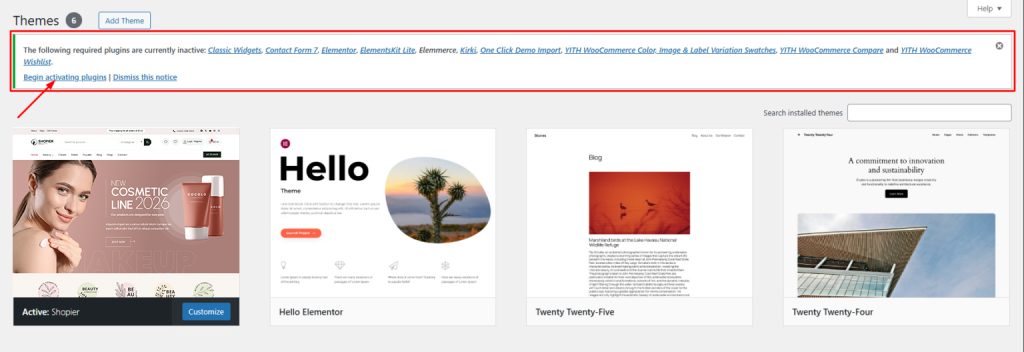
After plugins installed successfully! Your Shopier theme is ready to use, and you can now import demos and begin customizing your site.
Note:
- Always upload the installable theme ZIP file, not the full package ZIP.
- If you encounter errors, ensure you selected the correct file.


