

The Site Layouts panel allows you to change the overall structure of your website. Different layout options help you control how your content is displayed across the site.
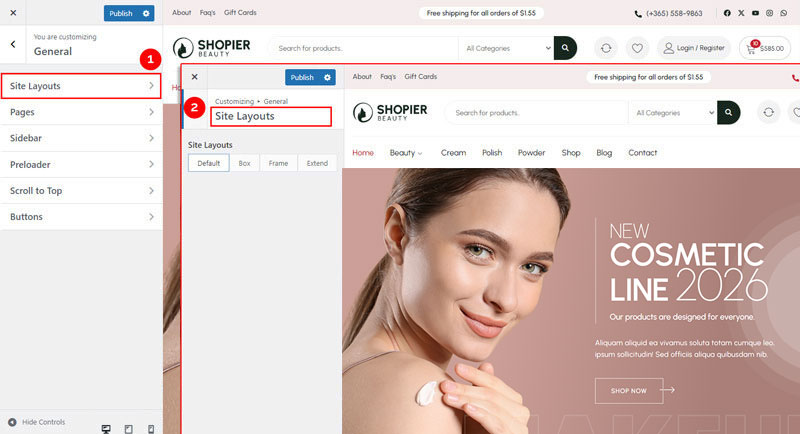
1. Open Site Layout Settings #
From your WordPress dashboard, navigate to:
Dashboard → Appearance → Customize → General → Site Layouts
2. Explore Available Options #
You can choose from several layout styles:
- Default – The standard layout for your theme.
- Box – Content is contained within a boxed area.
- Frame – Adds a visible frame around the content.
- Extended – Extends content even further for wide screens.
3. Save Your Changes #
- Preview changes in real time.
- Click “Publish” to apply them to your website.


