

The Single Post section allows you to customize the appearance of individual blog posts, including titles, images, author info, and related posts.
1. Access Single Post Settings #
From your WordPress dashboard, navigate to:
Dashboard → Appearance → Customize → Blog → Single Post
2. Explore Available Options #
- Post Title – Enable or disable the display of the post title.
- Image Options – Set featured image display, size, and alignment.
- Author Options – Show or hide author information and style it.
- Related Posts Options – Display related posts at the end of the post and customize layout and styling.
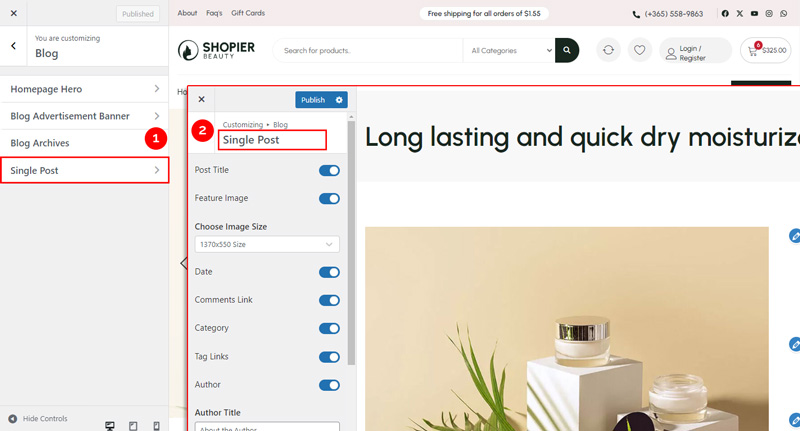
3. Save Your Changes #
- Preview changes in real time.
- Click “Publish” to save them to your website.


