

To enable search by SKU in the Shopier theme, follow these steps:
1. Navigate to Search by SKU Settings #
- From your WordPress dashboard, go to:
Dashboard → Appearance → Customize → Shopier WooCommerce → General → Search → Search By SKU
2. About This Feature #
- By default, Shopier WooCommerce search does not include SKU codes.
- Enabling this feature allows users to search products using SKU in the default search fields.
- Note: This feature is not available for the Ajax Search widget.
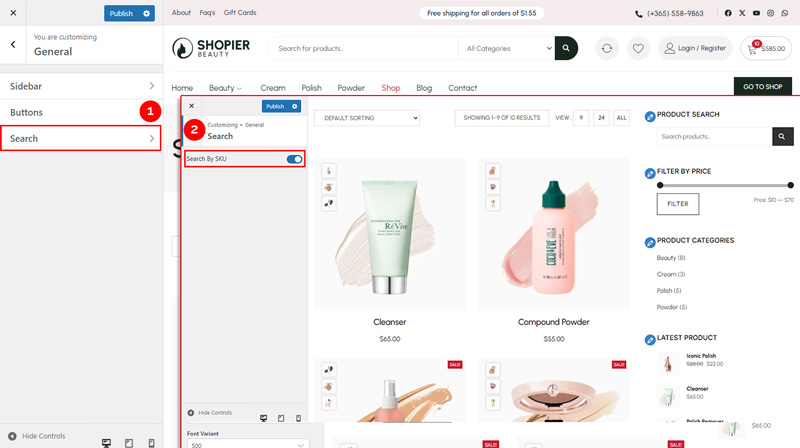
3. Save Your Changes #
- Preview changes in real time.
- Click “Publish” to apply the changes to your website.


