

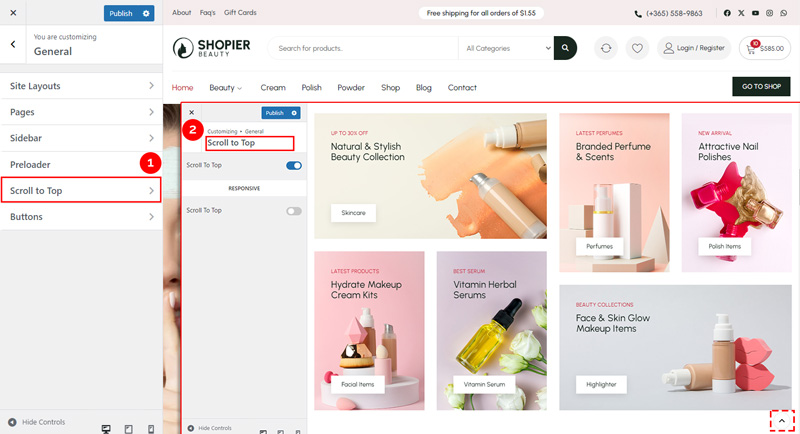
The Scroll to Top feature adds a button at the bottom right corner that allows users to quickly return to the top of the page.
1. Open Scroll to Top Settings #
From your WordPress dashboard, navigate to:
Dashboard → Appearance → Customize → General → Scroll to Top
2. Explore Available Options #
- Enable / Disable Scroll to Top – Turn the Scroll to Top button on or off.
- Responsive Option – Choose whether the Scroll to Top button is visible on mobile devices.
3. Save Your Changes #
- Preview changes in real time.
- Click “Publish” to apply them to your website.


