

Table of Contents
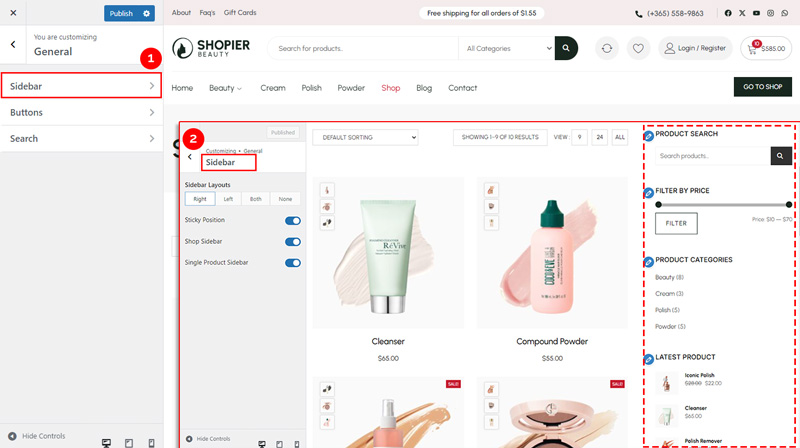
To configure the sidebar settings in the Shopier theme, follow these steps:
1. Navigate to Sidebar Settings #
- From your WordPress dashboard, go to:
Dashboard → Appearance → Customize → Shopier WooCommerce → General → Sidebar
2. Available Options #
Inside the Sidebar section, you’ll find the following settings:
- Sidebar Layout Options
Choose the sidebar position: Left, Right, Both, or None (no sidebar) depending on your layout preference. - Sticky Position
Enable the sticky sidebar feature so it remains visible while scrolling. - Shop Sidebar Options
Control sidebar behavior and visibility on shop/archive pages. - Single Product Sidebar Options
Choose whether to show or hide the sidebar on individual product pages.
3. Save Your Changes #
- Preview changes in real time.
- Click “Publish” to apply them to your website.


