

Table of Contents
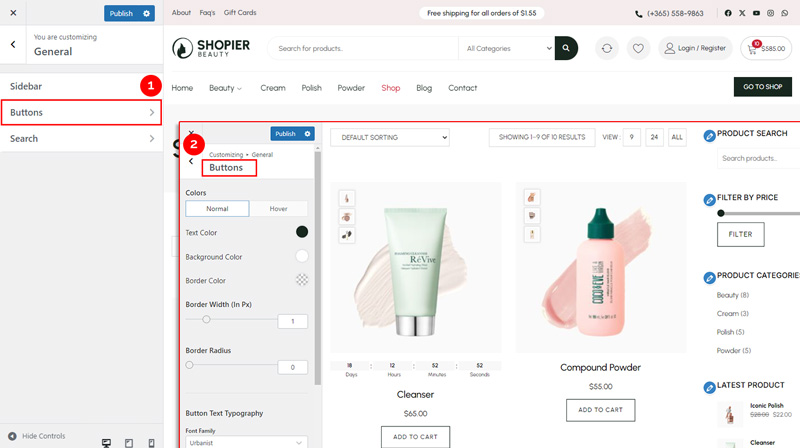
To configure your WooCommerce buttons in the Shopier theme, follow these steps:
1. Navigate to Buttons Settings #
- From your WordPress dashboard, go to:
Dashboard → Appearance → Customize → Shopier WooCommerce → General → Buttons
2. Available Options #
Inside the Buttons section, you can customize the following:
- Button Color Style Options
Change the background, text, and hover colors for all buttons to match your site’s design. - Border Style Options
Adjust button borders, including style, width, and radius, for a unique appearance. - Button Text / Typography Options
Customize the button typography, including font, size, style, and capitalization, to ensure buttons match your site’s branding.
3. Save Your Changes #
- Preview changes in real time.
- Click “Publish” to apply them to your website.
Note: The Shopier WooCommerce Buttons settings only affect WooCommerce buttons.
To configure theme buttons, go to:
Dashboard → Appearance → Customize → General → Buttons.Click here to view the Theme Buttons documentation


