

Table of Contents
It allows you to create advanced, customizable navigation menus using ElementsKit and Elementor. The Mega Menu feature is available only when the ElementsKit Lite plugin is installed and activated.
1. Open Menu Settings #
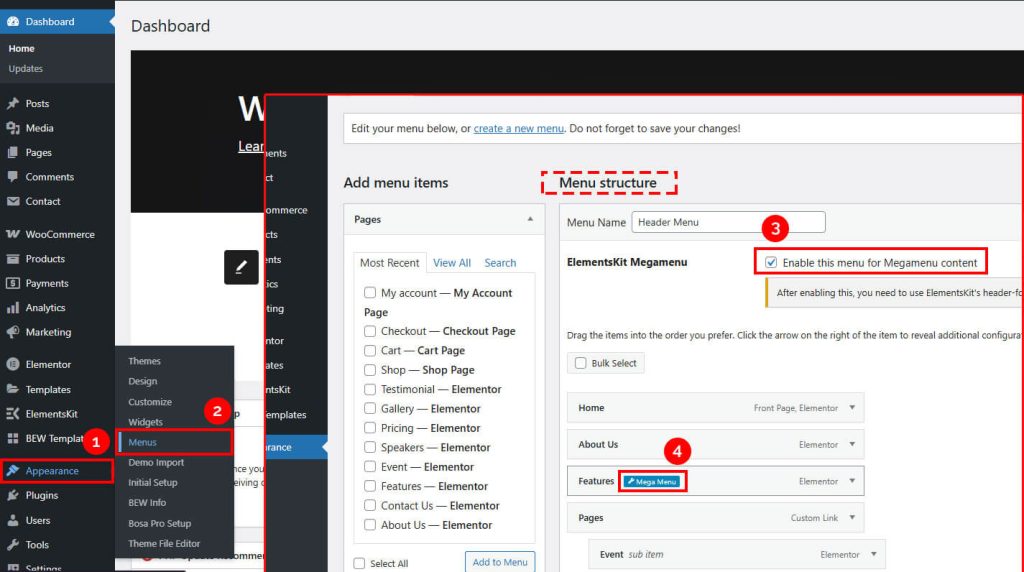
From your WordPress dashboard, navigate to:
Dashboard → Appearance → Menus
2. Select and Configure Menu #
- Select the menu you want to edit.
- In the Menu Structure section, ensure that ElementsKit Mega Menu is enabled.
3. Access Mega Menu Options #
- In the menu panel, hover over the menu item you want to edit.
- Click the Mega Menu icon to open the Mega Menu interface.
4. Edit Mega Menu Content #
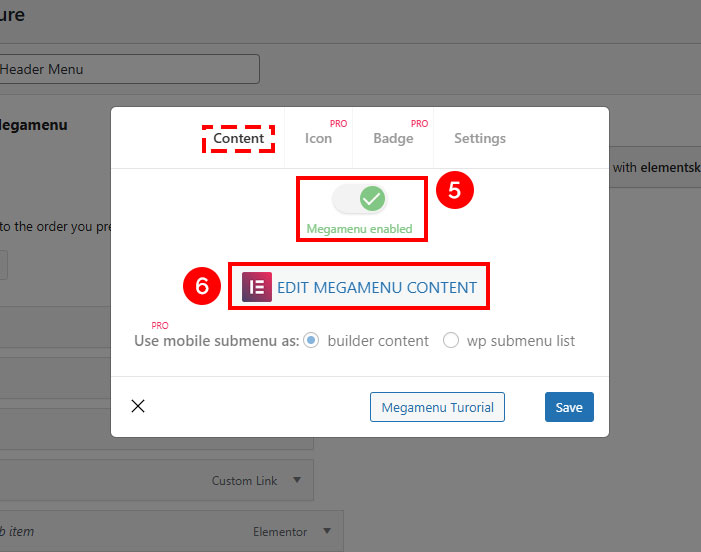
- In the Mega Menu interface, enable the Enable Mega Menu option if it is disabled.
- Click Edit Mega Menu Content.
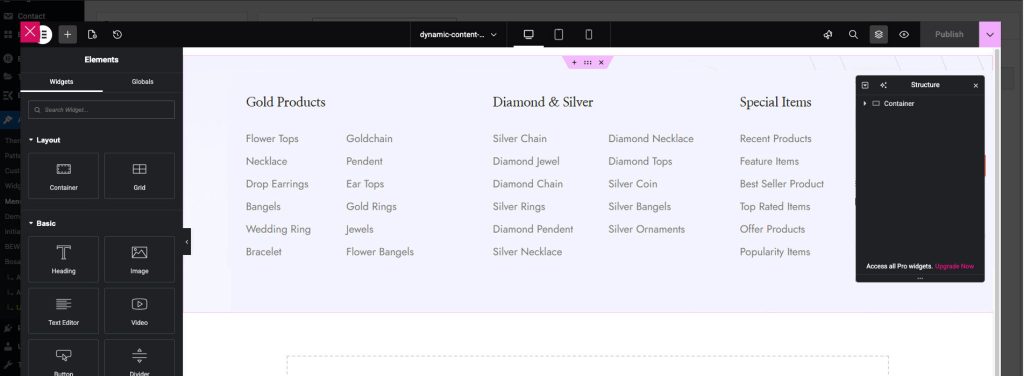
- The Elementor editor popup will appear, allowing you to customize the Mega Menu content.
5. Save Your Changes #
- Make the necessary updates in the Elementor editor.
- Click Publish to save your changes.


