

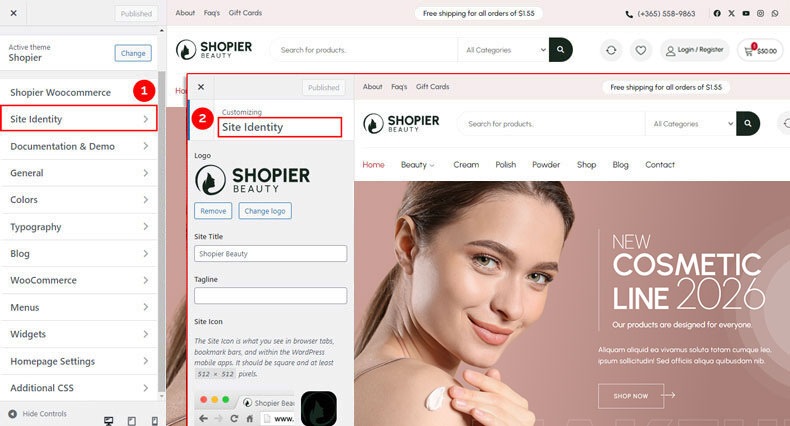
The Site Identity panel is where you define your website’s branding, including your logo, favicon, and site title. Setting these correctly ensures your site looks professional and recognizable.
1. Open Site Identity Settings #
From your WordPress dashboard, navigate to:
Dashboard → Appearance → Customize → Site Identity
2. Explore Available Options #
- Logo Options – Upload or replace your site logo. Use a high-resolution image for best clarity.
- Site Icon – Add a favicon that appears in browser tabs and bookmarks.
- Site Title & Tagline – Set your website name and a short tagline that represents your brand.
3. Save Your Changes #
- See your changes immediately in the live preview.
- Click “Publish” to make them live on your site.


