

Table of Contents
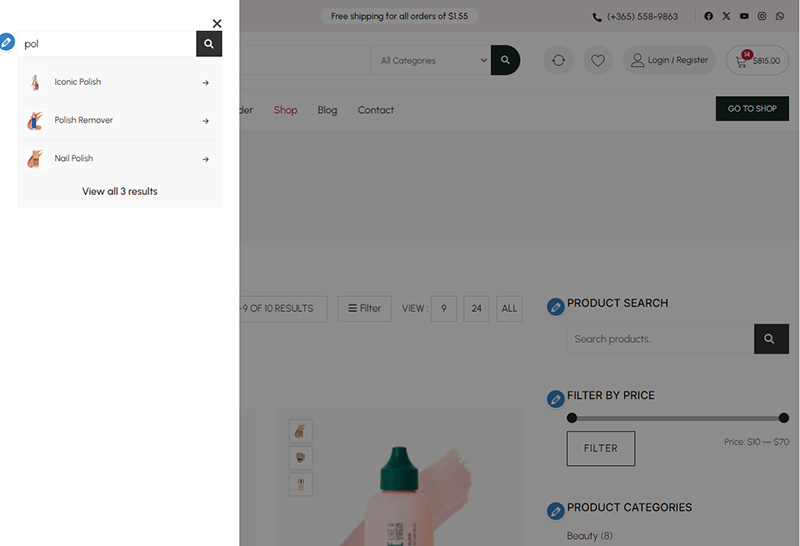
The Ajax Search widget allows users to search your WooCommerce products in real-time.
- Real-time search starts after typing at least three characters in the search input.
1. Open Ajax Search Widget Settings #
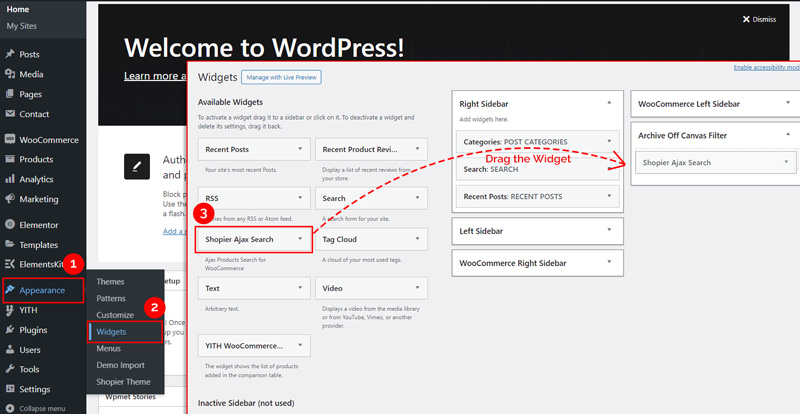
From your WordPress dashboard, navigate to:
Dashboard → Appearance → Widgets
2. Explore Available Options #
- Drag and drop the “Shopier: Ajax Search” widget into the desired widget area.
- This enables live search results for your WooCommerce products.
2. Save Your Changes #
- Preview the search on your site in real time.
- Save the widget settings to activate it.


