

The Preloader section allows you to display a loading animation while your website content is loading.
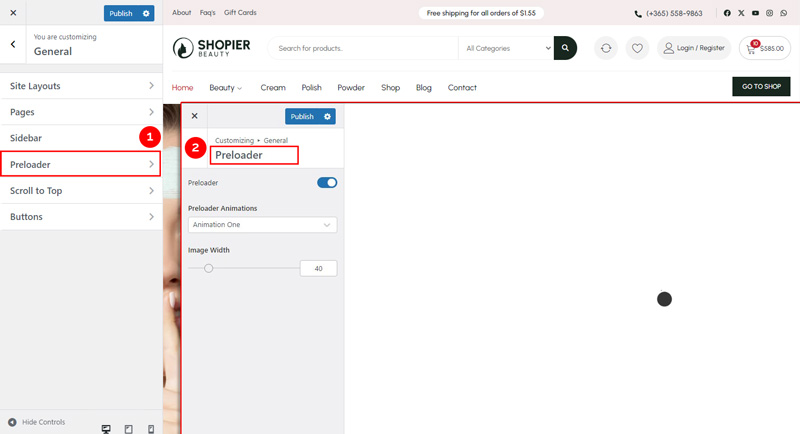
1. Open Preloader Settings #
From your WordPress dashboard, navigate to:
Dashboard → Appearance → Customize → General → Preloader
2. Explore Available Options #
- Preloader Animations – Choose the type of loading animation.
- Image Width – Adjust the size of the preloader animation.
3. Save Your Changes #
- Preview changes in real time.
- Click “Publish” to apply them to your website.


