

The Colors section allows you to customize the colors of your website’s text, links, buttons, headings, and other elements.
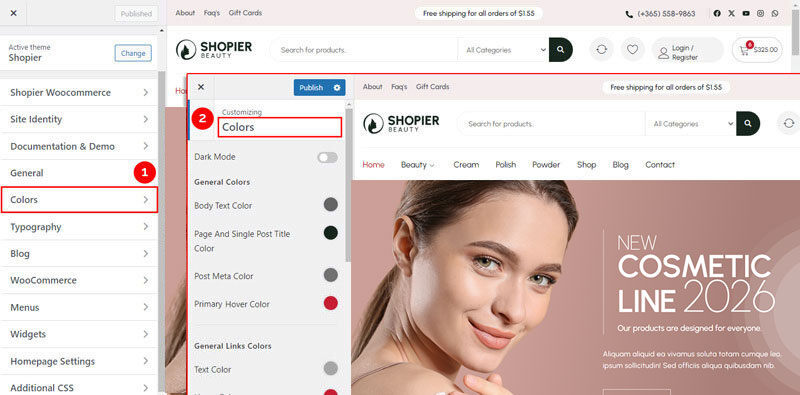
1. Access Colors Settings #
From your WordPress dashboard, navigate to:
Dashboard → Appearance → Customize → Colors
2. Explore Available Options #
- Dark Mode – Enable a dark theme for your site.
- General – Set the color for the main text on your site.
- General Link Text Color – Customize the color of links.
- General Heading Text Color (H1-H6) – Set the color for all headings from H1 to H6.
- Form Fields – Adjust the color of form input placeholders.
- Primary Hover Color – Set the color for primary elements when hovered.
3. Save Your Changes #
- Preview your changes in real time.
- Click “Publish” to save them to your website.


