Table of Contents
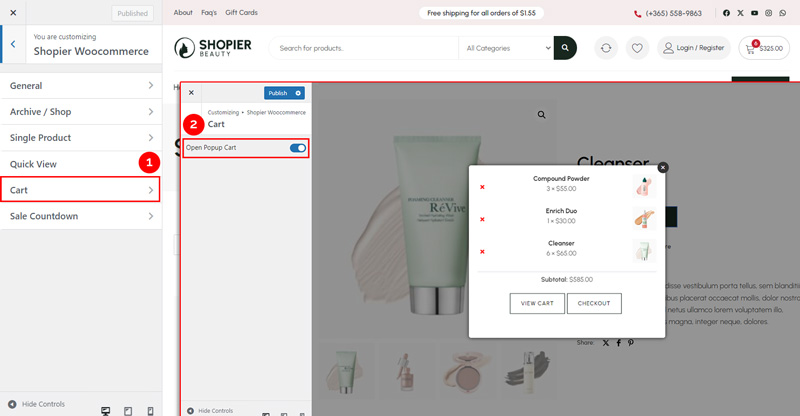
The Cart section allows you to control how products are displayed when added to the cart.
1. Navigate to Cart Settings #
- From your WordPress dashboard, go to:
Dashboard → Appearance → Customize → Shopier WooCommerce → Cart
2. Available Option #
- Open Popup Cart
- Enable this option to display a popup showing the products added to the cart without navigating to the cart page.
- Disable it if you want users to go to the cart page directly.
3. Save Your Changes #
- Preview changes in real time.
- Click “Publish” to apply them to your website.