

Table of Contents
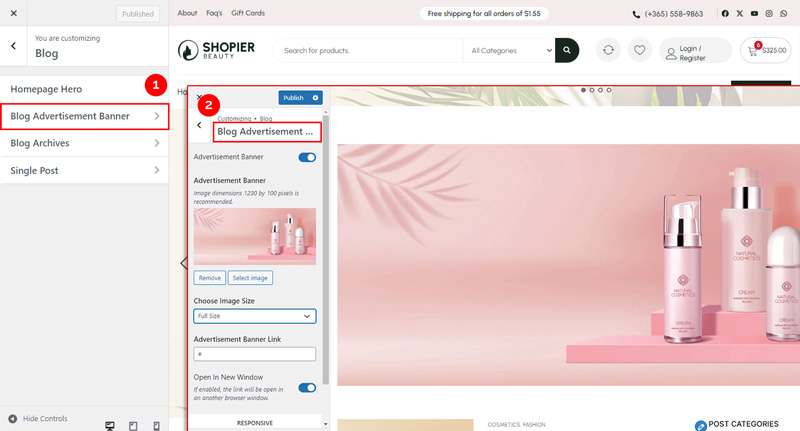
The Blog Advertisement Banner section allows you to add and manage banners for advertisements on your blog pages.
1. Access Blog Advertisement Banner Settings #
From your WordPress dashboard, navigate to:
Dashboard → Appearance → Customize → Blog → Blog Advertisement Banner
2. Explore Available Options #
- Advertisement Banner Image Options – Upload and manage the advertisement banner image.
- Advertisement Banner Link Options – Add a URL to redirect users when the banner is clicked.
- Responsive Options – Control how the banner displays on mobile and tablet devices.
3. Save Your Changes #
- Preview your changes in real time.
- Click “Publish” to save them to your website.


