

Table of Contents
The Homepage Hero section allows you to customize the banner area on your blog homepage, including sliders, layout, and styling options.
1. Access Homepage Hero Settings #
From your WordPress dashboard, navigate to:
Dashboard → Appearance → Customize → Blog → Homepage Hero
2. Explore Available Options #
General Panel Options #
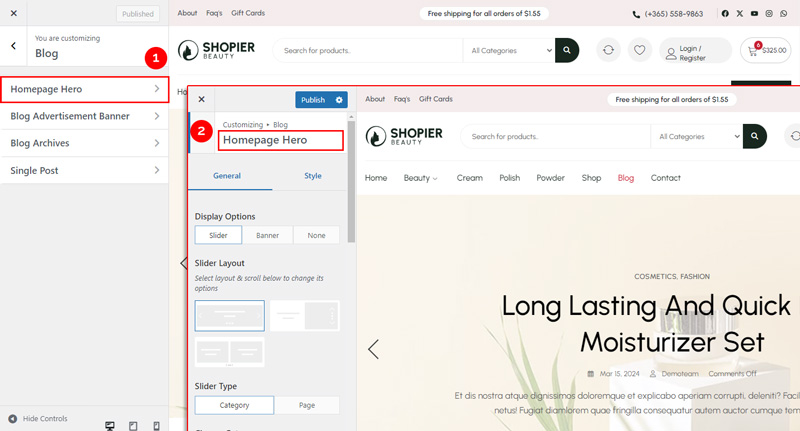
- Display Options – Choose whether to show banner/slider/none on the homepage hero.
- Slider Layout Options – Select the layout for your slider.
- Slider Type Options – Choose the type of slider (e.g., category or pages).
- Slider Options – Configure slider speed, autoplay, and other behaviors.
- Post View Number Options – Set the number of posts displayed .
- Slider Button Options – Customize the navigation buttons of the slider.
- Responsive Options – Control how the slider behaves on mobile and tablet devices.
Style Panel Options #
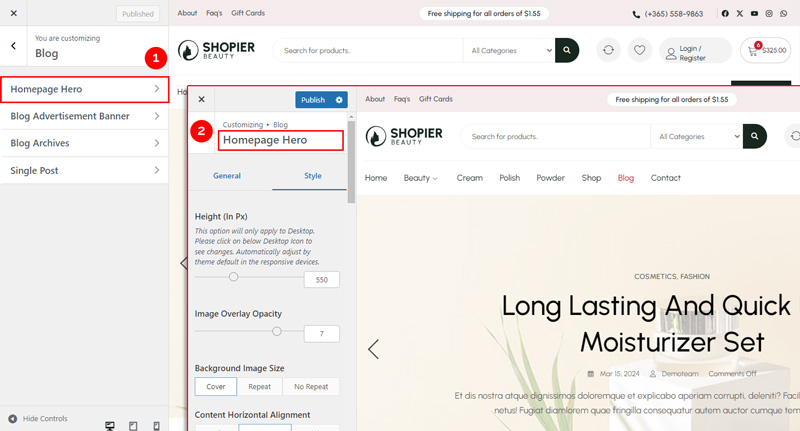
- Background Style Options – Set background colors or images style .
- Content Style Options – Customize text color, alignment, and spacing.
- Excerpt Style Options – Adjust font size, color, and style for post excerpts.
- Slider Button Style Options – Style the slider navigation buttons (color, shape, hover effects).
3. Save Your Changes #
- Preview your changes in real time.
- Click “Publish” to save them to your website.


