

Table of Contents
The Typography section lets you customize the text styles across your website, ensuring readability, hierarchy, and a consistent look for headings, body text, and page titles.
1. Access Typography Settings #
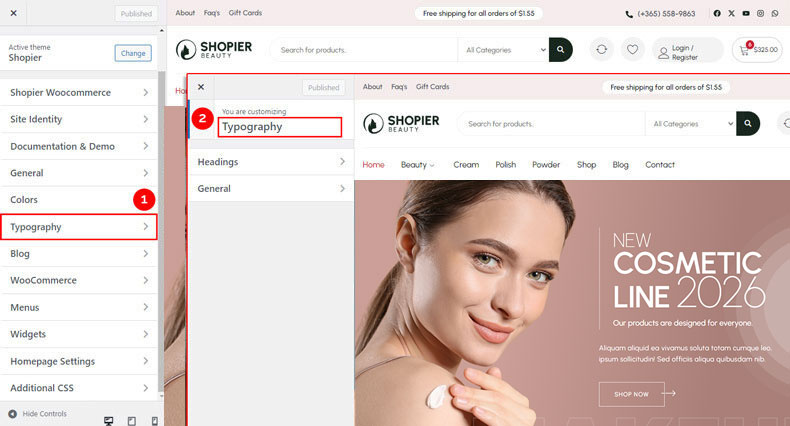
From your WordPress dashboard, navigate to:
Dashboard → Appearance → Customize → Typography
The typography panel has two main sections:
- General – Controls body text, page titles, and single post titles.
- Headings – Controls heading styles from H1 to H6.
2. Configure Headings Typography #
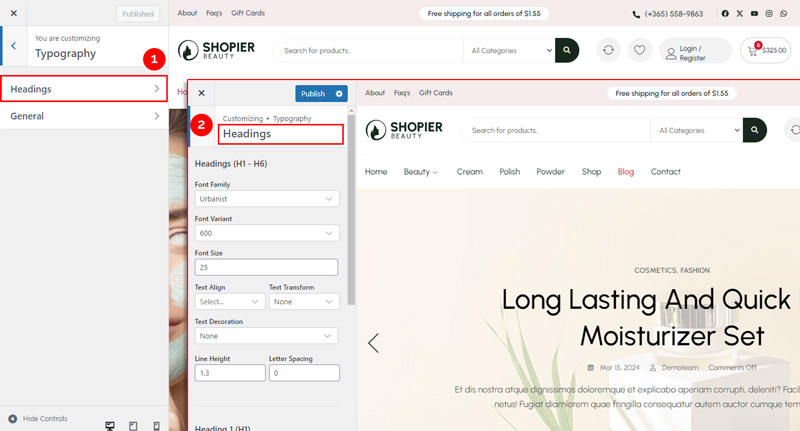
To adjust headings:
Dashboard → Appearance → Customize → Typography → Headings
- Set font, size, weight, and style for headings H1 to H6.
- Maintain consistent hierarchy across your site.
3. Configure General Typography #
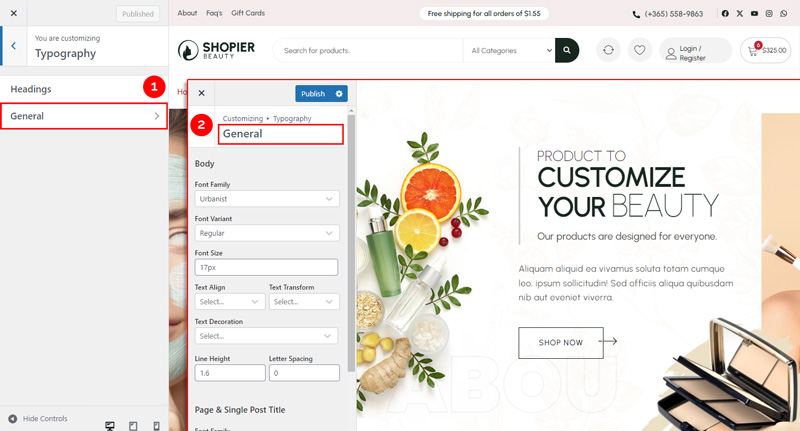
To adjust body text and titles:
Dashboard → Appearance → Customize → Typography → General
Options include:
- Body Options – Set font, size, line height, and style for general text.
- Page & Single Post Title Options – Customize font and style for page and post titles.
4. Save Your Changes #
- Preview changes in real time.
- Click “Publish” to save them to your website.


