

Table of Contents
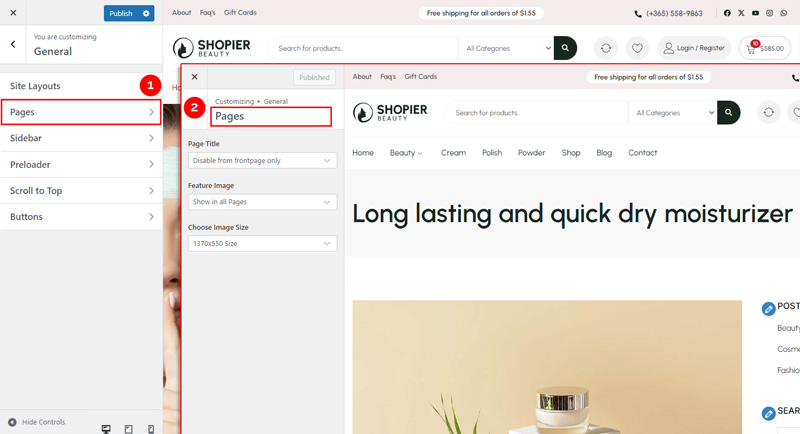
The Pages section allows you to control how your page titles and featured images are displayed across your website.
1. Open Pages Settings #
From your WordPress dashboard, navigate to:
Dashboard → Appearance → Customize → General → Pages
2. Explore Available Options #
- Page Title – Show or hide the page title on pages.
- Feature Image – Drop down options featured images on pages.
- Image Size – Control the size of featured images displayed on pages.
3. Save Your Changes #
Click “Publish” to apply them to your website.
Preview changes in real time.


