

Table of Contents
Image Flipper changes the product image on archive/shop pages when you hover over a product.
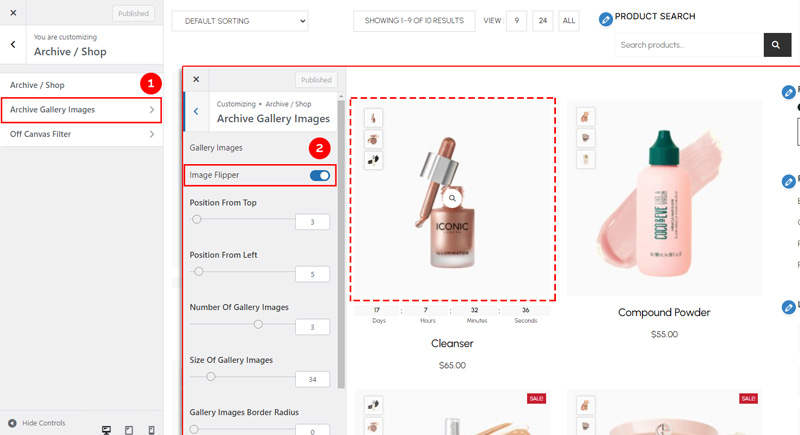
1. Navigate to Image Flipper Settings #
From your WordPress dashboard, go to:
Dashboard → Appearance → Customize → Shopier WooCommerce → Archive / Shop → Archive Gallery Image → Image Flipper
- It flips to display the first image from your product gallery.
- Helps create a more interactive and engaging shopping experience.
2. Save Your Changes #
- Preview changes in real time.
- Click “Publish” to apply them to your website.


