

Table of Contents
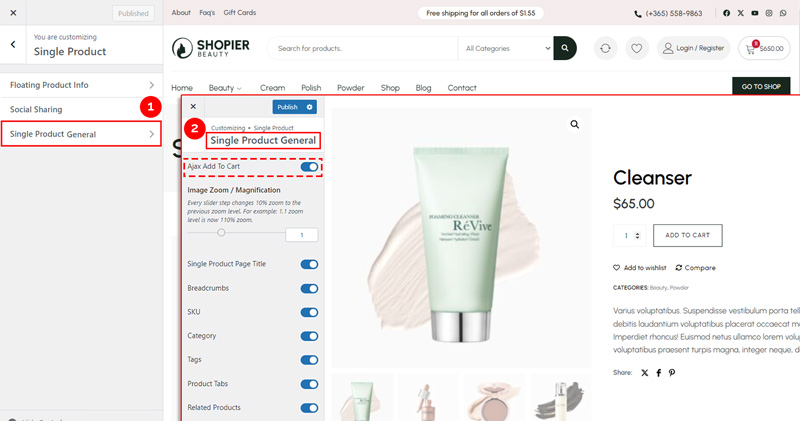
Ajax Add To Cart allows customers to add products to the cart without refreshing the page.
- Available only on Single Product pages by default.
- This feature is enabled by default.
1. Navigate to Ajax Add To Cart Settings #
- From your WordPress dashboard, go to:
Dashboard → Appearance → Customize → Shopier WooCommerce → Single Product → Single Product General → Ajax Add To Cart
Note: This functionality is also included in the Quick View section .
2. Save Your Changes #
- Preview changes in real time.
- Click “Publish” to apply them to your website.


